Free tool · DaVinci Resolve · macOS & Windows
Max's Davinci Tracker
A time tracker that lives inside DaVinci Resolve. It knows which project you're in, sees which page you're on, and stops itself when you walk away. I built it for my own edit suite — you can have it for free.
Version 1.3.0 · Resolve 19.1+ and Studio · no account, no cloud, no catch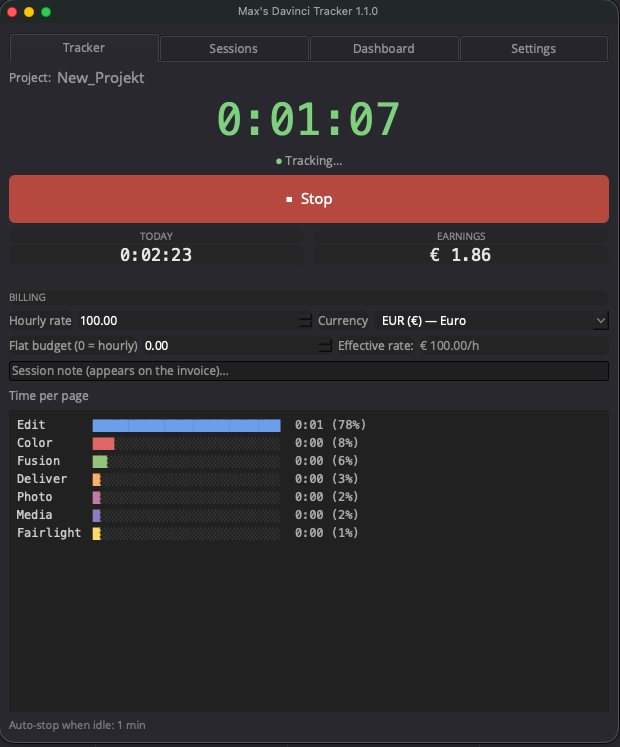
Why this exists
Every editor knows the moment: the project is delivered, the invoice is open, and you're guessing how many hours it actually took. You guess low. Always.
There are paid trackers that solve this. I didn't feel like paying for one, so I built my own — one that lives in the Workspace menu, starts with one click, and handles the forgotten timer for me. I use it on every project; maybe it's useful to you too.
What it does
- Knows your projectDetects the open Resolve project and keeps a separate timer, rate and history for each one — switch projects and it follows you.
- Sees where time goesA live bar chart breaks your hours down by page — Edit, Color, Fairlight, Fusion, even the new Photo page.
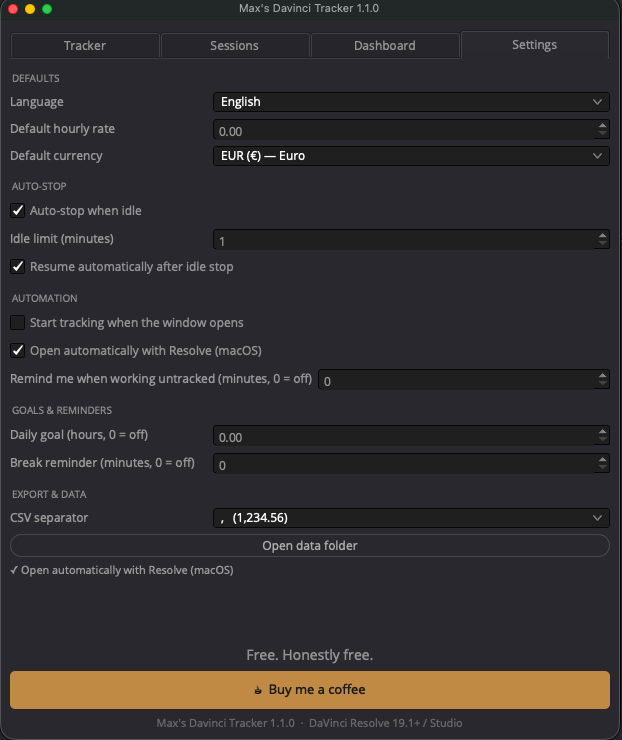
- Stops when you don't workWalk away and it stops itself, crediting time only up to your last real activity. Come back, and it resumes on its own.
- Fully automatic, if you wantIt can open itself with Resolve and start tracking the moment it opens. Set it up once.
- Shows your effective rateOn flat-rate jobs it shows what the project actually pays per hour, live — useful the next time you quote.
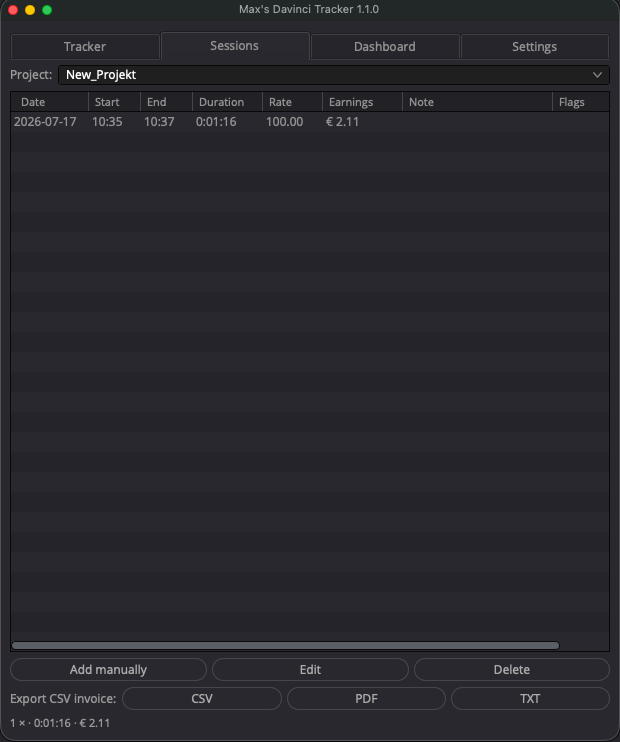
- Invoice-ready exportsOne click gives you a PDF report, a CSV for Excel, or a plain text summary — every session, rate, note and page, with flags for edited or auto-stopped entries.
- Crash recoveryA 15-second heartbeat, automatic session recovery and daily backups of the data file.
- Yours aloneNo account. No cloud. No telemetry. One file on your machine holds all your data — 11 languages, 50 currencies, zero strings attached.
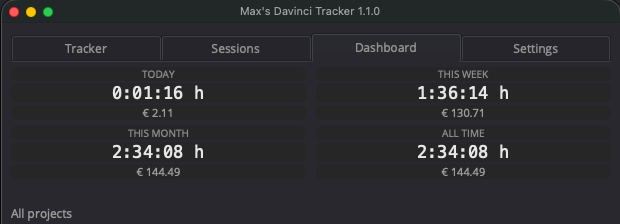
A look inside
Two editions in the box
Since Resolve 19.1, script windows are limited to Resolve Studio — so the download includes an edition for each.
Studio Edition
- Live window with running timer
- Time-per-page bar chart
- Idle auto-stop & auto-resume
- Dashboard, session editor, daily goal
- Opens automatically with Resolve
Free Edition
- One click starts, one click stops
- Per-project time & billing
- Session notes
- Automatic CSV, PDF & TXT reports
Installed in two minutes
- Drop one file into Resolve's scripts folder — the included manual shows exactly where, on Mac and Windows.
- Restart DaVinci Resolve.
- Open it from
Workspace → Scripts. Set your rate once, hit start. That's the whole job.
Free. Honestly free.
No trial, no license key, no newsletter. If the tracker catches a single half hour you would have forgotten to bill, it has already earned its keep. And if you'd like to say thanks — buy me a coffee.
Buy me a coffee — €5Questions, answered
- Does it work with the free version of Resolve?
- Yes. The included Free Edition covers tracking, billing and reports on Resolve 19.1 or newer. The live window, page chart and idle auto-stop need Resolve Studio — a Blackmagic limitation, not mine.
- Where does my data live?
- In a single JSON file on your computer, with automatic daily backups. Nothing ever leaves your machine.
- What if Resolve crashes mid-session?
- The tracker saves a heartbeat every 15 seconds. On the next start it restores your session up to the last sign of life — you lose 15 seconds at most, clearly flagged as “recovered”.
- Will there be updates?
- I use this on every project, so it gets fixed and improved whenever I need it to. Updates are free — it's one file, just replace it.
- Something's not working.
- Write me via the contact page — include your Resolve version and what you clicked, and I'll take a look.
Part of a small family of free Resolve tools — no account, no cloud.