Film emulation · OFX plugin for DaVinci Resolve
Max's Film Brewery
The character of analog film — highlight roll-off, colour response, grain — as a free OFX plugin for DaVinci Resolve.
Version 7.1.0 · macOS 11+ (Apple Silicon & Intel) · needs Resolve Studio — the free version of Resolve doesn't load third-party OFX plugins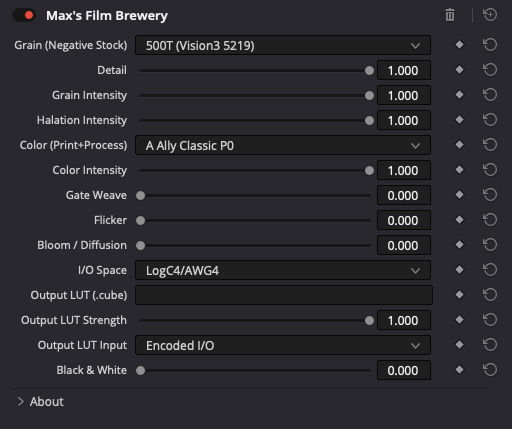
Why I built it
I love the look of analog film: the depth, the soft colour transitions, the organic grain. But there's a detail about film that's rarely talked about, even among photographers — film isn't vegetarian. The light-sensitive crystals in every photographic emulsion are bound to the base with gelatine, made from the bones and skin left over by the meat industry. That's true for every format: 35mm, large format, and the IMAX reels in Hollywood. To this day there is no widely available vegan film stock.
The photo industry is only a small side-user of a much larger market, and nobody who shoots film should feel bad about it. But it left me with a quiet question: could I get this look without the animal part?
What it is
Max's Film Brewery is my answer — a film emulation built from analysing how real emulsions behave, drawing on what I learned studying film. There are other film emulations out there; some are excellent. Mine tries to be simple, honest and good-looking, and it's free. 100% digital, 100% vegan.
See the difference
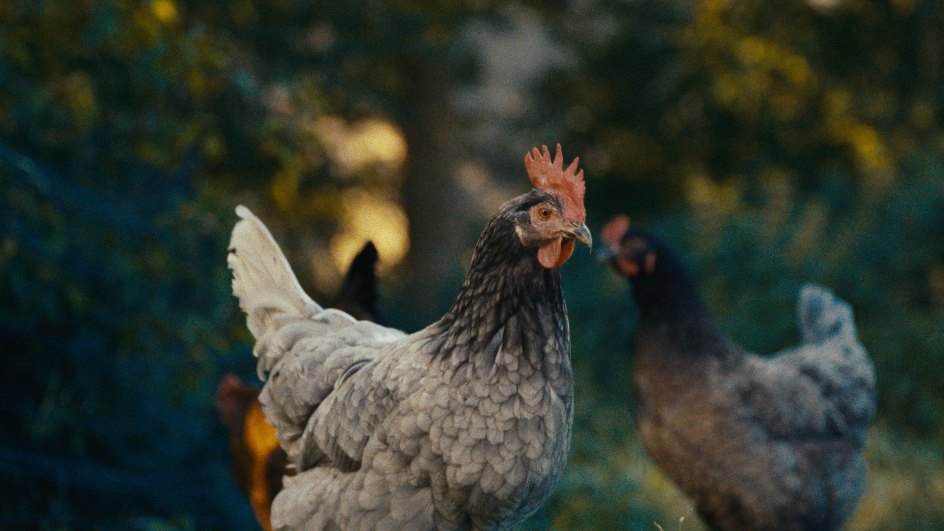
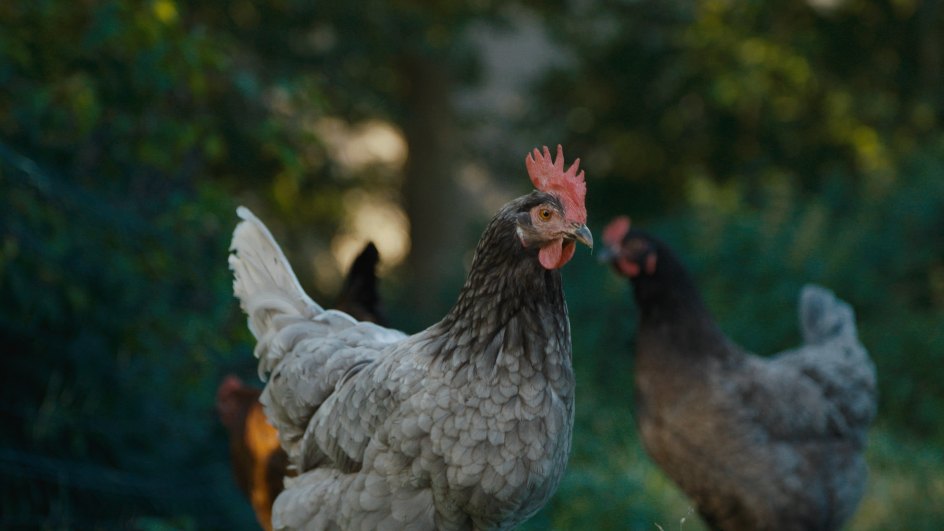
Three frames, straight out of Resolve. Drag the line — left of it the original, right of it the same frame through the Brewery. Switch to the close-up to see grain and halation at work.




Install
- Unzip the download.
- Copy
FilmBrewery.ofx.bundleto/Library/OFX/Plugins/(create the folder if it doesn't exist — macOS asks for your password). - Restart Resolve. Find it under
OpenFX → Max's Film Brewery.
Free, and one small promise
No account, no license key, no catch. If you'd like to support the work, there's a PayPal button below — half of what comes in through this tool, I donate to animal sanctuaries.
☕ Support via PayPalPart of a small family of free Resolve tools — no account, no cloud.